
Training course: Soffid for IAM professionals 2. Policies
Introduction
In this chapter we are going to learn Soffid’s different authentication policies and what differentiates each one from the others. We will also learn how to extend the data model with metadata, creating user objects, and how to change configuration parameters in the Global Settings section. Finally, we will introduce the Attribute translation variables and how to use them, as well as what difference there is between Soffid Connectors and Add-ons.
Producto | Soffid IAM |
Goal | To know policies, user objects, change the configuration, and what
add-ons and connectors are. |
Profile | Identity Management Professionals |
Prerequisites | Knowledge of any Identity Management tool |
Level | Medium |
Duration | 00:30 |
Unidades |
|

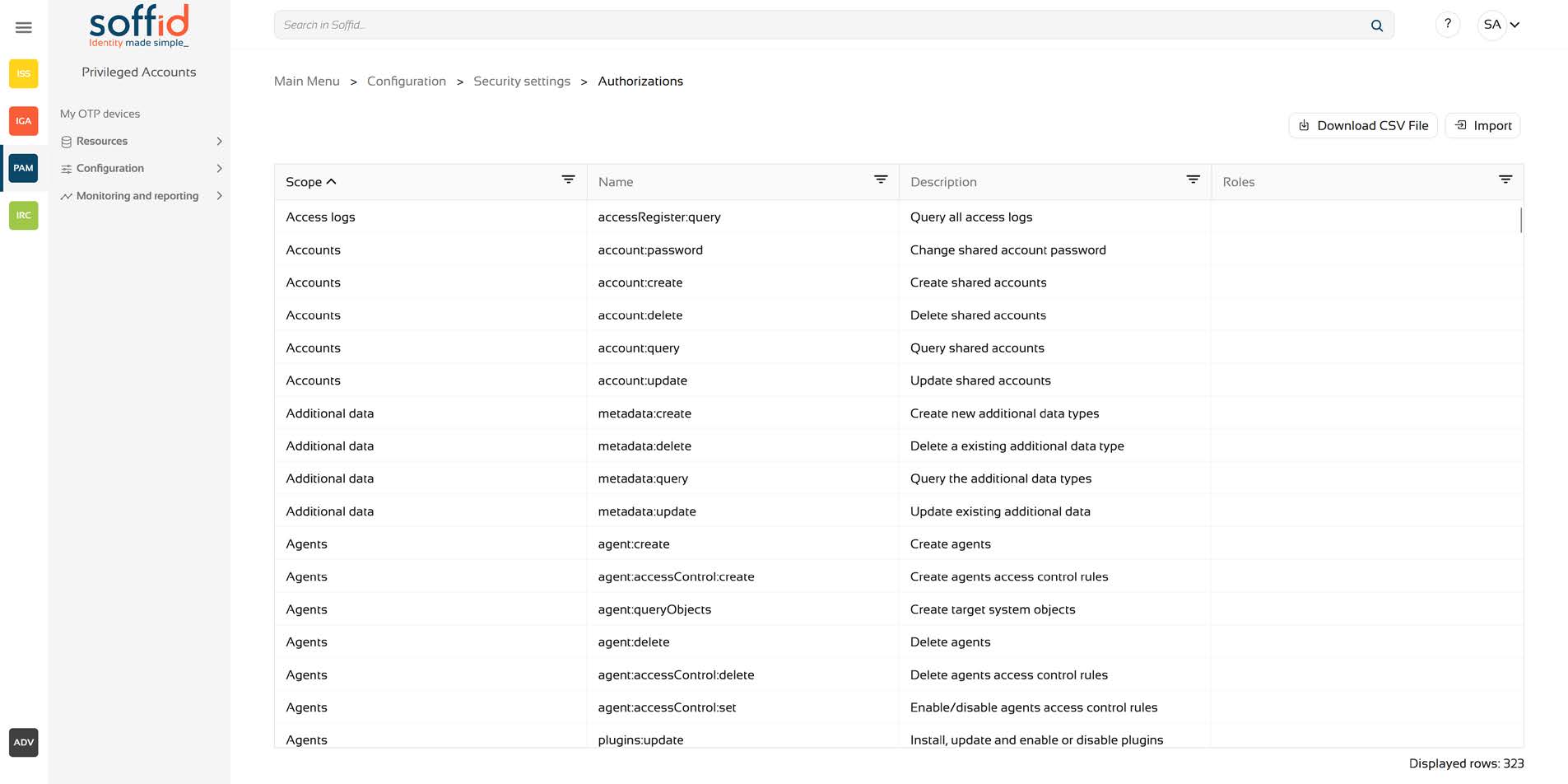
1.3 Authorizations
INTRODUCTION
View allCHAPTER 1: System Architecture
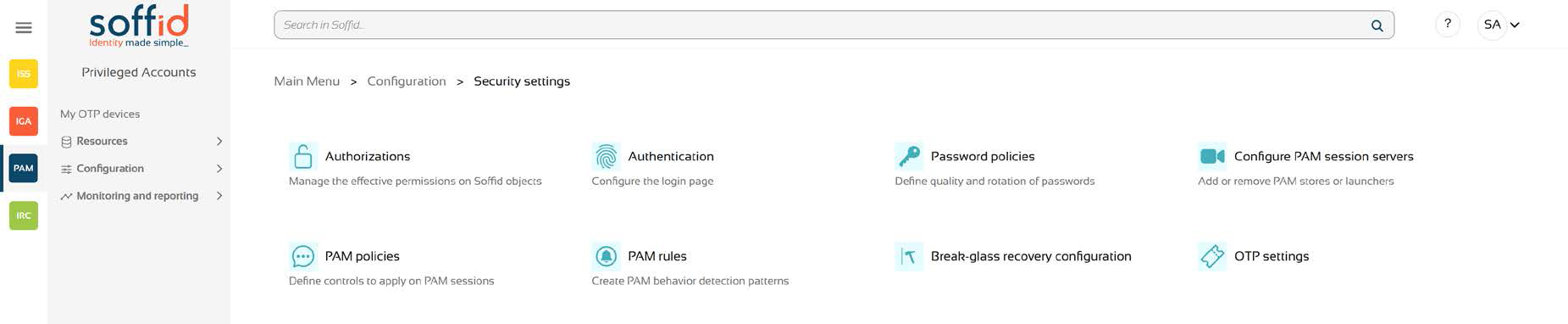
View allThere are three types of Authentication Policies available that control the entire user authentication process:
- Authentication Policies
- Password Policies
- Authorization Policies
These options are located within the Settings section, specifically under Security Settings.
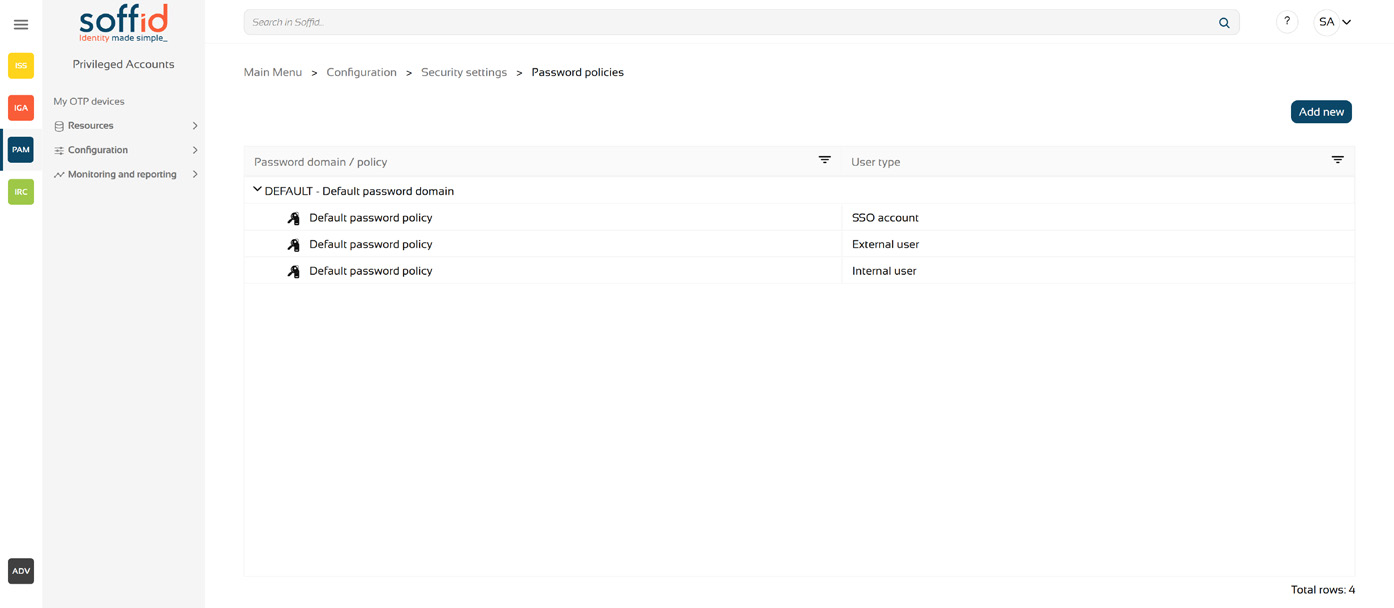
In Password policies we can define multiple password policies for different types of users and agent types. In the image we can see some default configuration, consisting of policies for External users, Internal users,Secured accounts and SSO accounts.
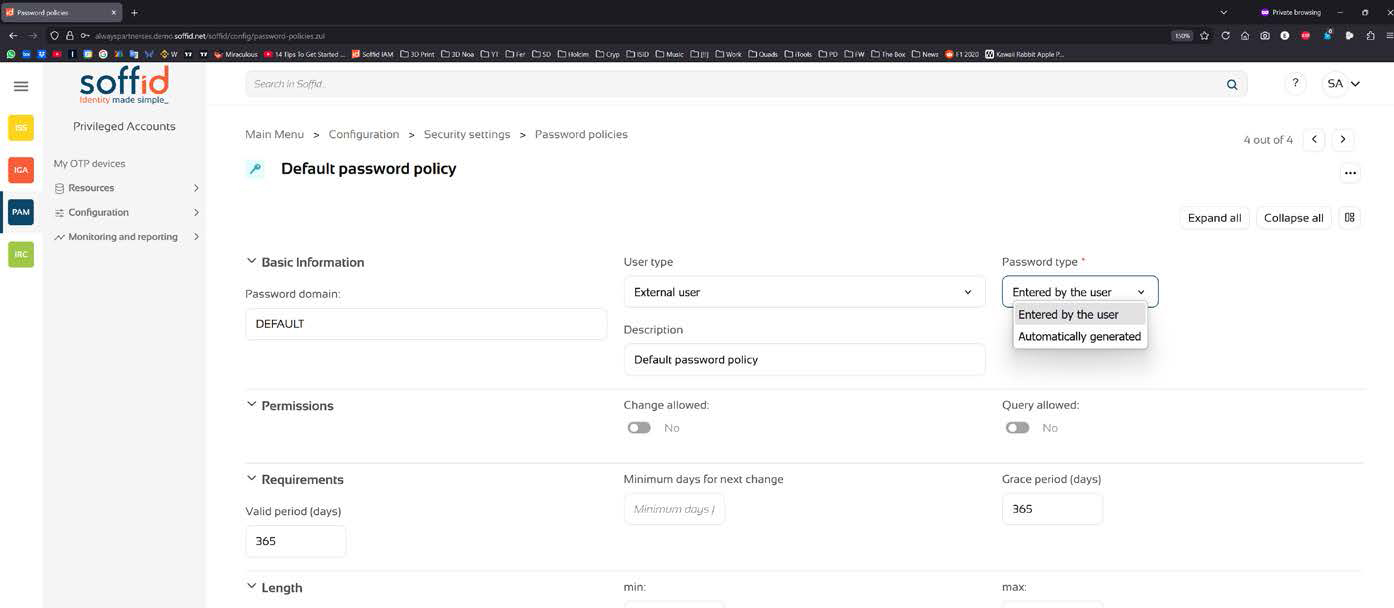
For each option you can define the User type and the Password type. In Permission you can control to allow the password change or query by the user, as well as the password Complexity and Validation rules which allows to specify forbidden words, that cannot be used as part of a password.
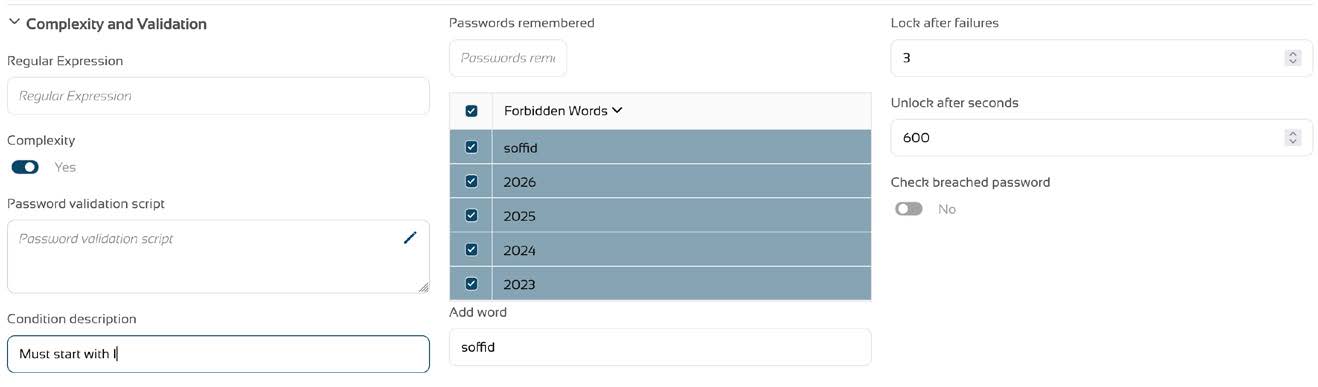
There is also the possibility to define a Password validation script that can do more complex checks on user entered passwords to make them conform to strict security standards.
All changes applied to password policies, will apply only to new passwords from that moment on, and not to already existing passwords.